Quick Start Guide
Your first 5 minutes with PinkNinjasART. Go from zero to your first AI-generated masterpiece.
Sign In & Get Your Free Points
Click the Sign In button in the top right corner
Create an account using your email or sign in with Google/Discord
You'll automatically receive 200 free points to start creating
Points never expire - use them whenever you're ready!
💡 Tip: Your points balance is always visible in the header when you're logged in.
Open the Studio
After signing in, click Studio in the navigation bar
You'll see the main generation interface with:
💡 Tip: The Studio remembers your last session, so you can pick up right where you left off.
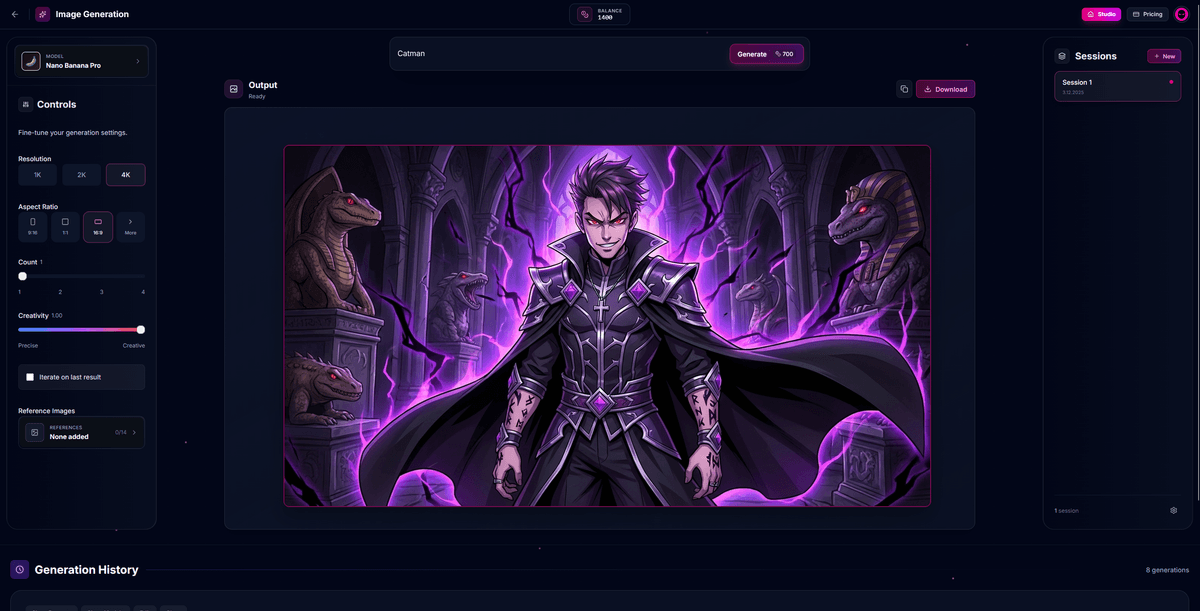
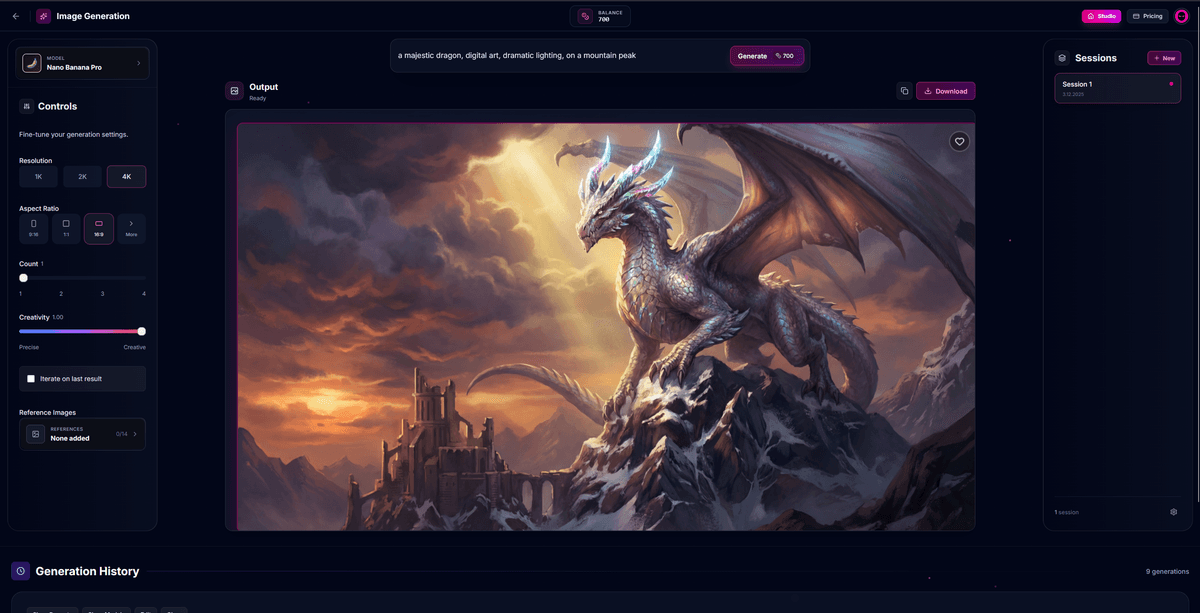
Write Your First Prompt
Click on the prompt text area and describe what you want to create
Be descriptive! Include details like:
💡 Tip: Start simple, then add more detail. Example: "A cute orange cat wearing a tiny wizard hat, digital art style, soft lighting"
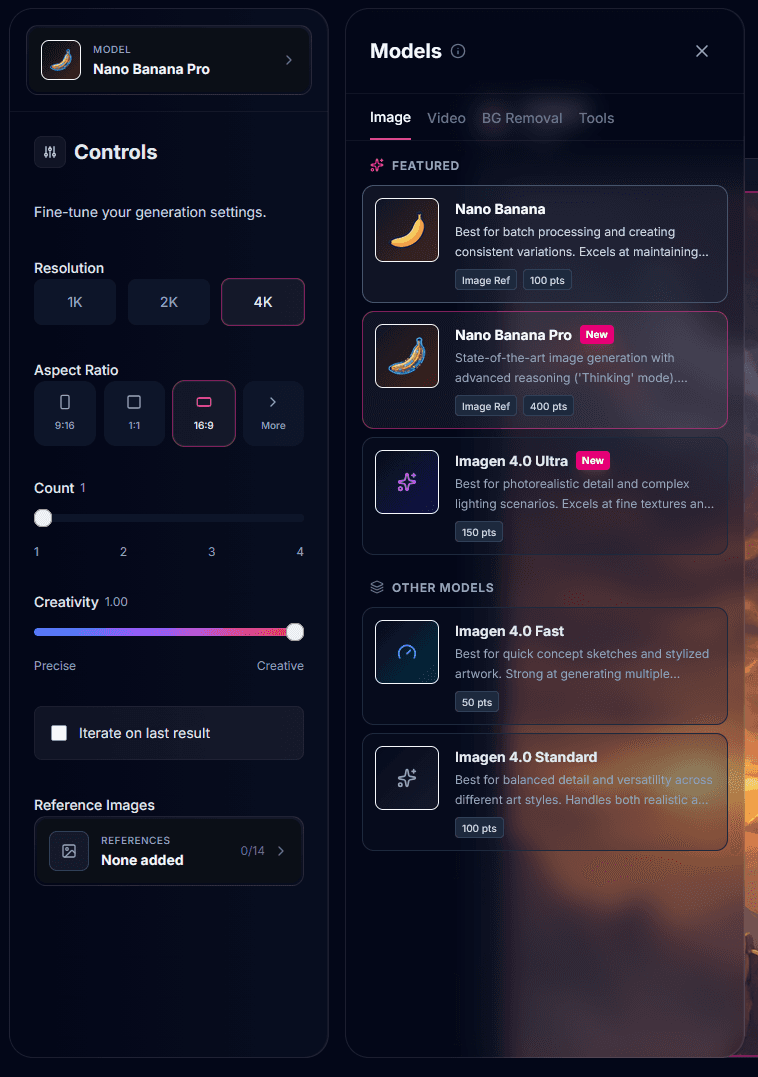
Choose Your Model
Click the model selector to see available AI models:
💡 Tip: Start with Imagen 4.0 Fast to experiment quickly, then use higher-quality models for final versions.
Generate Your Image
Click the Generate button (or press Enter)
Wait a few seconds while the AI creates your image
Your image will appear in the output area
The generation is automatically saved to your history
💡 Tip: Generation typically takes 1-15 seconds depending on the model and current demand.

Download & Save to Favorites
Hover over your generated image to see action buttons:
💡 Tip: Your favorites act as second storage, so you can keep your favorite images even if you delete them from history.

Organize with Sessions & Folders
Sessions: Create separate workspaces for different projects
Folders: Organize your favorites
💡 Tip: Use sessions for different projects (e.g., "Game Assets", "Social Media", "Personal").
You're Ready to Create!
Congratulations! You now know the basics of PinkNinjasART. Start experimenting with different prompts, models, and styles. Remember - the best way to learn is by creating!
Continue Learning
Last updated: December 2025